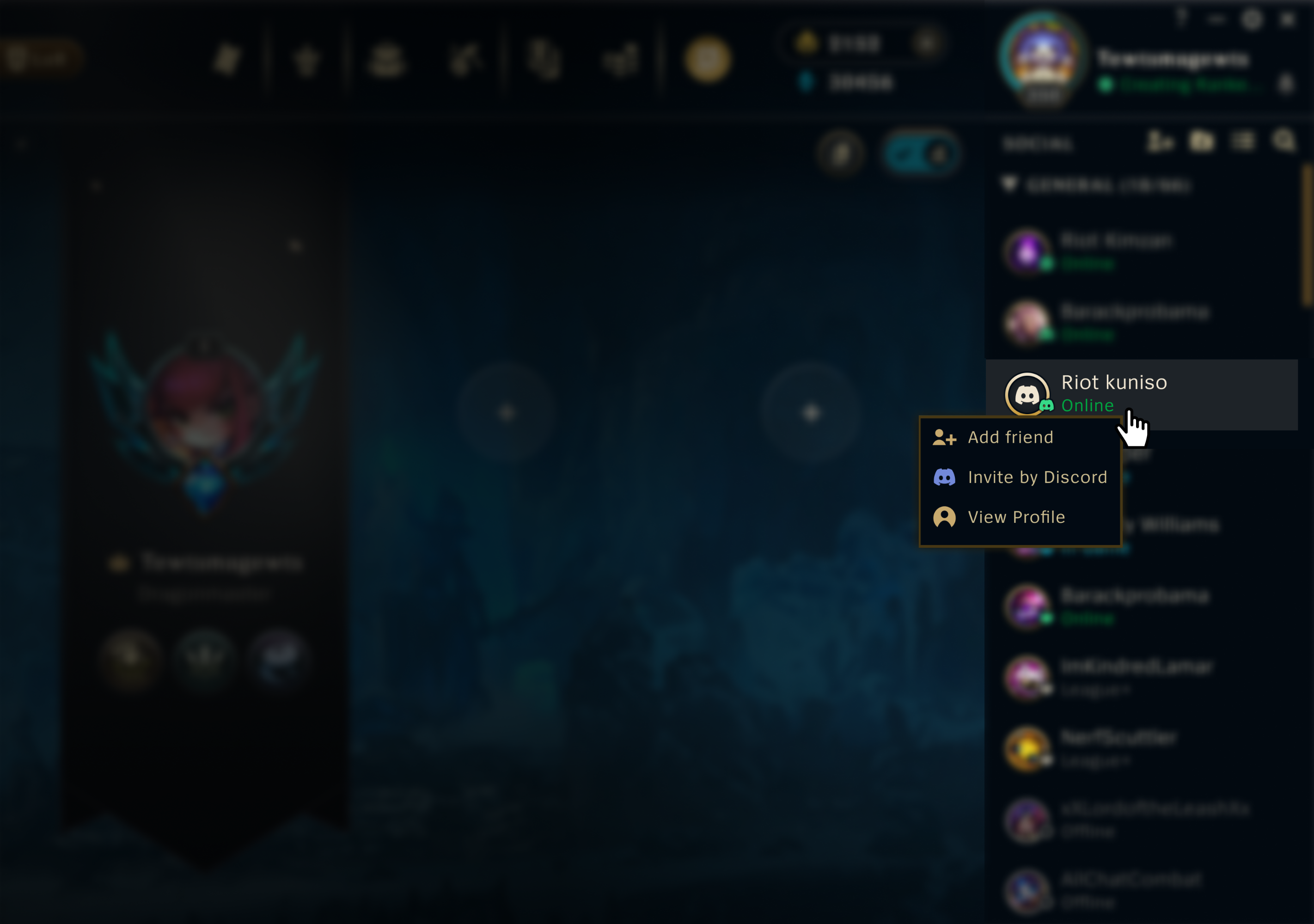

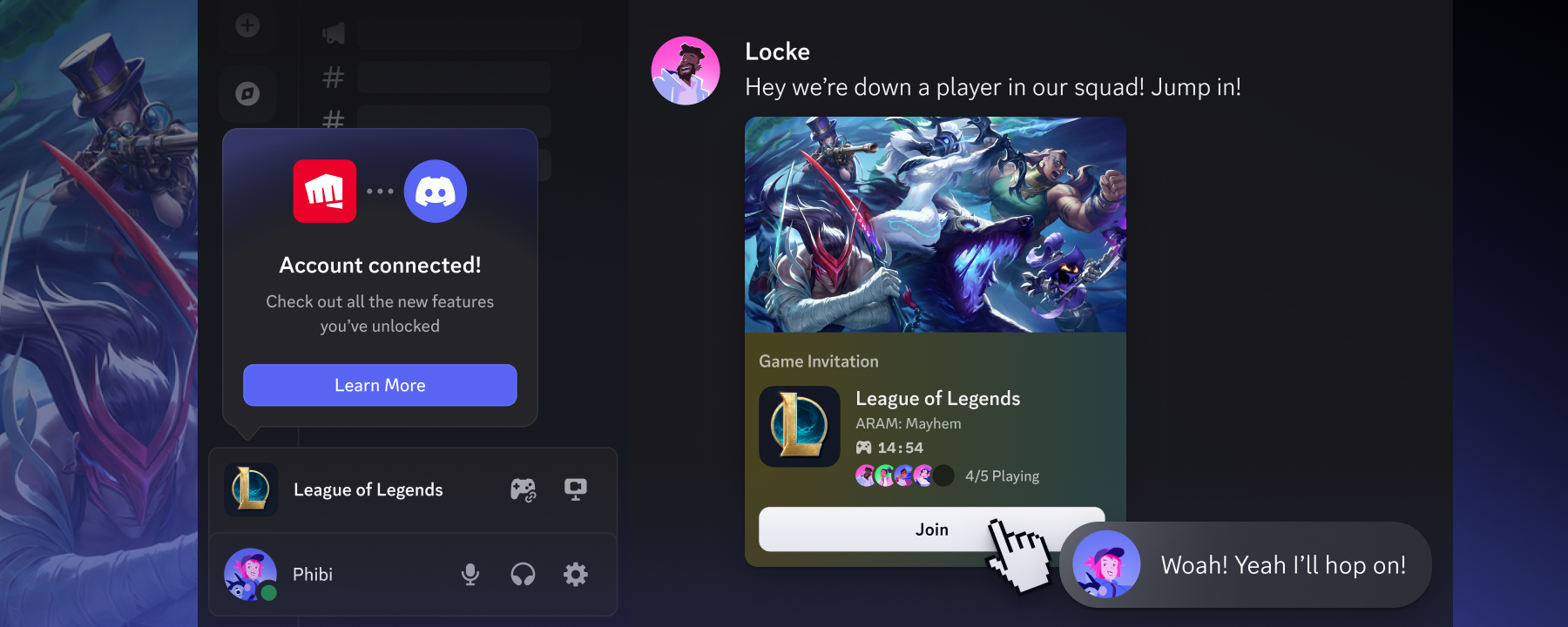
Demonstration of inviting a League of Legends-playing friend to a game lobby directly through Discord.
Product & Features

Making It Easier Than Ever to Connect with Friends in League & VAL!

Two of the most played games while on Discord are League of Legends and VALORANT. Just last December, during our inaugural Checkpoint, we even gave League of Legends the esteemed title of Discord’s Most Popular Game 2025 (seriously, y’all *really* love League). 

Every time League or VAL popped up as one of someone’s top-played games, we know that translates to countless hours with friends rank grinding, counter-jungling, and spamming the soundboard for the buddy who just pulled off an ace. 

These moments connecting with friends are truly special, but being forced to stall your game and scour online friends lists when your 5-stack is down a player takes this time away. That’s why we’re teaming up with Riot to make connecting with friends even faster and bring your Discord friends right into the games

Queue Up With Friends Easier Through Discord & Riot Account Linking

What if, instead of hopping from client to client, trying to find someone to play with, you could see your VAL or League-playing Discord friends and invite them right from the game?

Wild idea, right? Actually, it’s real. Starting with a beta test in League of Legends, by linking your Discord and Riot accounts, you’ll be able to:

  • See which of your Discord friends play the game right in your in-game friends list
  • Invite Discord friends to your party straight from the game
  • Drop a link to join your party into a Discord server, DM, or anywhere else your friends are
  • Check friends’ game status in Discord, like match time or party size, so you always know when you can jump in
The “Invite by Discord” option shown in the Friends List in League of Legends.

How to Link Your Riot Account to Discord

If you’re reading this right now then it probably means you’re not actively in a match. Or maybe you are, in that case wow, you must REALLY trust your jungle pathing. 

Either way, this’ll be quick: in regions where Discord-powered features are available, you can link your accounts inside Discord before (or during) your next match:

  • In Discord, head to “User Settings”.
  • Click “Connections”, then click on Riot Games’ iconic fistbump logo. You may need to click “View More.”
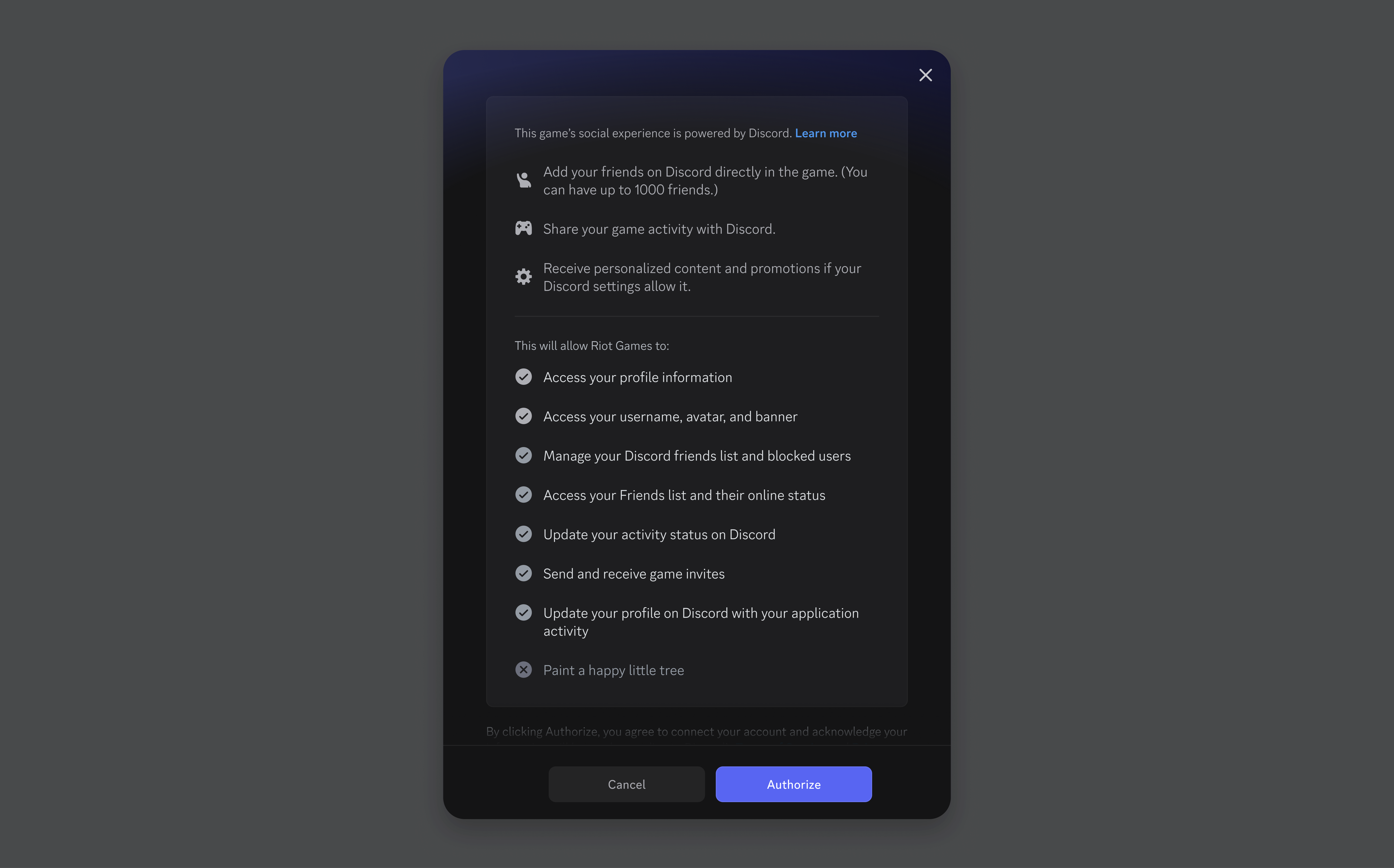
  • Read through the required permissions, follow the prompts, and then you’re set!
An in-app listing of all the required permissions needed for account linking to work. It includes access to a user’s profile information, username, avatar, and banner. It can also access your Discord friends list and manage it, including for blocking others. Finally, it can access and update your in-game activity status, send and receive game invites, and update your recent activity on your Discord profile.

You can also link your Riot & Discord accounts through Riot's in-game clients (League of Legends & VALORANT) account management page. Riot’s got their own tutorial for getting your accounts linked through the in-game method below. 

Need some support? Head over to our support article about these new account-linking features and get back into the fray once you’re done. 

When you link your accounts, only the info necessary to have the integration function properly is shared such as your Riot ID, Discord display name/accountID, and game status. Before connecting your Discord account, you'll see a clear permissions screen (like the one above) that points out what you’re authorizing to share. You’ll have the option to unlink at any time in User Settings.

All these slick new Discord-powered features for League of Legends are currently rolling out in select regions (Brazil: May 7th, US & Canada: May 20th) and then expanding to all other regions soon. Integration with VALORANT will be rolling out in a similar Beta later this summer. All players can still link their accounts through Riot’s account management page starting today, but you won’t see the new social features until after the Beta ends.

For more information on regional rollouts and a full FAQ, check out these resources: 

Got your Riot and Discord accounts all set up? Now go hop into that matchmaking queue and get some more wins under your belt!  

Tags
No items found.

related articles